[Rollback] (Run Menu)

During program execution, the robot can retrace its path in reverse to return to a previous position. Use this function to move the robot to a safe position after an emergency stop or an error occurs.
KEY POINTS
Rollback is available only with Epson RC+ Standard Edition or higher.
Opens the following dialog boxes.
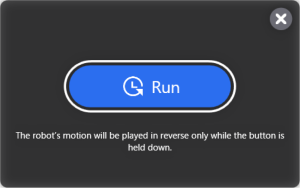
The rollback operation is performed at low speed while the Run button is held down, and stops when the button is released.
This menu is enabled when a program is run with [Log trajectory] selected in the [Run] window or [Operator Window]. See details below.