[Rename] Command (Project Menu)
This command renames the current project. The project folder and all associated project files are also renamed.
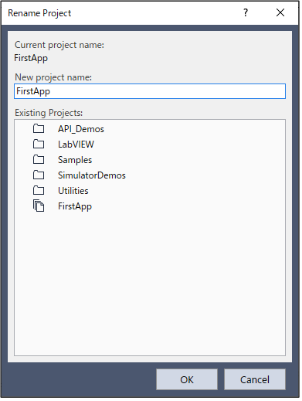
| Item | Description |
|---|---|
| Current Project Name | The name of the current project. |
| New project name | Type in a new name for the project. Project names can contain alphanumeric characters along with underscores. |
| Existing Projects | This shows projects in the selected folder. The new name you choose cannot be one of the names in this list. |
| OK | Renames the project. |
| Cancel | Cancels the operation. |