[Project]-[Properties]-[Operator Settings]-[Robot Manager]-[Tab Order]
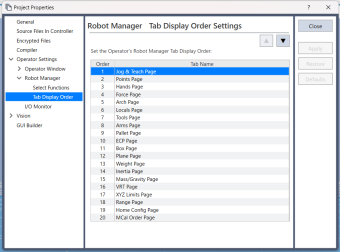
Sets the Robot Manager tab display order.
| Item | Description |
|---|---|
| ▼▲ | Sorts the tab display order list. |
| Set the Robot Manager Tab Display Order: | Sets the Robot Manager tab display order that the operator can use when displaying the operator window. |
| Order | Shows the display order of the tabs. |
| Tab name | Shows the Robot Manager tab name. |