[Project]-[Properties]-[Operator Settings]-[Operator Window]-[General] Page
This page allows you to configure the general settings for the Operator Window.
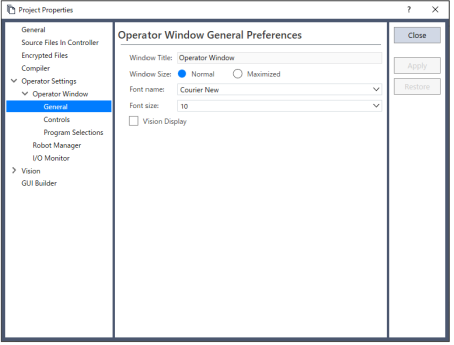
| Item | Description |
|---|---|
| Window Title | Type in the title that you want to appear at the top of the operator window. Up to 64 characters can be entered for the title. |
| Window Size | Choose Normal or Maximized. |
| Font Name | Choose the font you desire for the operator window. |
| Font Size | Choose the size of the font you desire for the operator window. |
| Vision Display | If this checkbox is set, the Vision Guide image will be displayed in the operator window. |