[Setup]-[System Configuration]-[Controller]-[Simulator]
This page contains simulator preference settings. For details on simulators, see below.
"Epson RC+ Simulator"
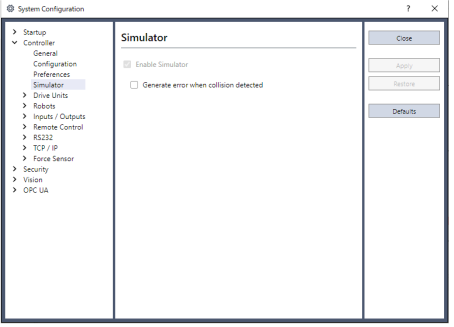
| Item | Description |
|---|---|
| Enable Simulator | This enables the simulator function. This setting cannot be changed if a virtual controller is connected. |
| Generate error when collision is detected | If a collision is detected while the SPEL+ program is running, an error will occur with the Controller and program execution will stop. |
| Default | Reverts back to the default settings. |