[Tools]-[Robot Manager]-[Hands] Page
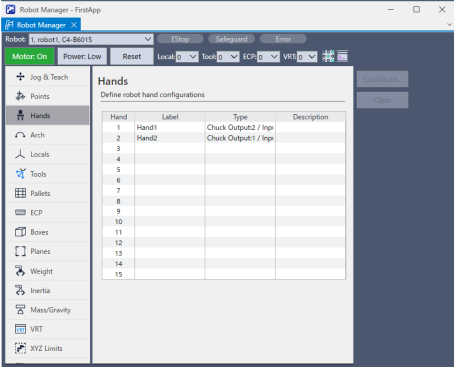
You can check a list of registered hands, register new hands, and change registration information.
| Item | Description |
|---|---|
| Hand | The number of hand. Up to 15 hands can be set for each robot 1 to 4. |
| Label | Indicates the label name given to the hand number. |
| Type | Indicates the type of hand. |
| Description | A description of the hand. |
| Configure | Select one hand and click this button to display the [Configure Robot Hand: *] window where you can register a new hand and change or delete the registration information. |
| Clear | When you select a registered hand and press this button, the hand deletion confirmation dialog will be displayed. If you select the [Yes] button here, the registered hand information will be deleted. |
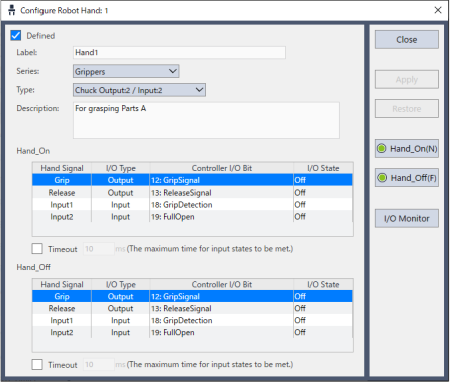
Select one hand from hands 1 to 15 and press the [Configure...] button to display the [Configure Robot Hand:] screen.
For more details on hand settings, refer to the following manual:
"Hand Function Manual"