Teaching Operation
The following describes how to register the current position in P1.
Press the [▲] key and set the point number at “1”.

Press the [Teach] key.
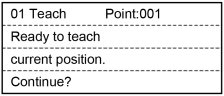
When the point number is already used, the following screen appears.
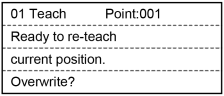
Press the [OK] key.
The point data is registered in the memory and it returns to the [Jog & Teach] screen.
TIP
This can also be executed in the [Point Editor] screen.