Executing Motion Command
The following indicates the procedure for executing motion commands with an example of motion command [Go P1].
Selecting Motion Command
Move the cursor to [1].
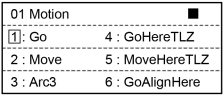
Press the [OK] key.
The Go command setting screen appears.
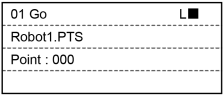
Specifying Motion Command Parameter
Specify the point number.
Press the [F1] key to turn to the point number input mode.
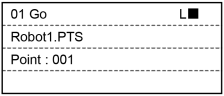
Input a point number.
Then, press the [OK] key and set the point number.
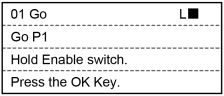
Press the [OK] key and display the confirmation screen of the motion command execution.
Executing Motion Command
- When it is ready to start the motion, hold down the Enable Switch and press the [OK] key.
- When the motion is finished, it returns to the motion command selection screen.
KEY POINTS
While you are holding down the Enable Switch and pressing the [OK] key, it continues executing the motion command. If you release the Enable Switch or the [OK] key, the motion stops and the screen returns to the confirmation of motion command execution.
← Motion Command Go →