Point Editor
This section indicates settings in the [Point Editor] screen.
Execute either of the following procedures to display the screen.
Press the [F1] key in the [Jog & Teach] screen.
Press the [F1] key in the [Direct Teach + Touch Jog] screen.
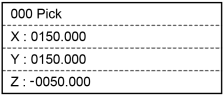
| Key operation | Description |
|---|---|
| [Numeric keys] | Inputs a number. (Available in the number input mode.) |
| CLR | Clears the number to 0. (Available in the number input mode.) |
| ▲ / ▼ | Moves the cursor. Temporary fix a number. (Available in the number input mode.) |
| ◀ / ▶ | Switches the pose flag. |
| Page Up / Down | Changes to the previous or next page. |
| OK | Fixes the change and stores in the memory. Return to the [Jog & Teach] screen or the [Direct Teach + Touch Jog] screen. |
| Cancel | Cancels the change. Return to the [Jog & Teach] screen or the [Direct Teach + Touch Jog] screen. |
| Teach | Executes a Teach operation. For details, refer to the following: |
| Save | Saves a point file. For details, refer to the following: |
| Load | Loads a point file. For details, refer to the following: |
| Local | Switches to Local number input mode. |
| Guide | Displays the key operation guide. |
| F1 | Switches to the point number input mode. |
| F2 | Switches to the Local number input mode. |
| F3 | Switches to the number input mode for the current position. For details, refer to the following: Editing Point Data - [Changing Coordinate Value] |
| F4 | Deletes the point data from the memory. |
| F5 | Returns to the [Jog & Teach] screen. |