Teaching the current position
To save the current position, press the [Teach] key and perform teaching.
The current position information is saved to the point number set below.
This can be changed at any time if Direct Teach or Touch Jog has not been executed.
Press the [Teach] key.
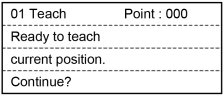
When the point number is already used, the following screen appears.
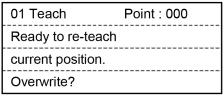
Perform either of the following steps.
Save position information: Press the [OK] key.
The point data is registered to the memory and return to the [Touch Jog + Direct Teach] screen.
Do not save position information: Press the [Cancel] key.
Return to the [Direct Teach + Touch Jog] screen.
TIP
This can also be executed in the [Point Editor] screen.