Loading Point Data from File
Press the [Load] key.
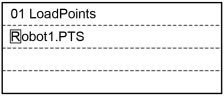
Move the cursor and select a file.
Press the [OK] key to load the point data in the file memory.
When there are some changes in the point file, the following screen appears.
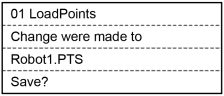
Select if you save the point file.
- [OK] : Saves the change and loads the point file.
- [Cancel] : Does not save the change and loads the point file.
TIP
This can also be executed in the [Point Editor] screen.