Teaching the current position
To save the current position, press the [Teach] key and perform teaching.
The current position information is saved to the point number set below.
Teaching can be performed anytime unless the impedance test has been performed.
Press the [Teach] key.
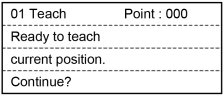
When the point number is already used, the following screen appears.
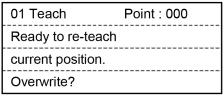
Perform either of the following steps.
To save the position data:
Press the [OK] key to return to the [Impedance Tester] screen after registering the point data to the memory.
To not save the position data:
Press the [Cancel] key to return to the [Impedance Tester] screen.
TIP
This can also be executed in the [Point Editor] screen.