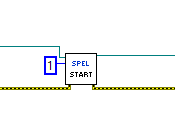
Start VI
Tool Palette
Epson Robots 8.0 | Tasks
Description
Starts a program that will run in the Controller.
Inputs
| Spel Ref In | Spel reference from a previous Spel Ref Out. |
| Error In | Error condition from a previous Spel node. |
| ProgramNumber | The program number to start, corresponding to the 64 main functions in SPEL+ as shown in the table below. The range is 0 to 63. |
| Program Number | SPEL+ Function Name |
|---|---|
| 0 | main |
| 1 | main1 |
| 2 | main2 |
| 3 | main3 |
| 4 | main4 |
| 5 | main5 |
| 6 | main6 |
| ... | ... |
| 63 | main63 |
Outputs
| Spel Ref Out | Spel reference output for next VI to use. |
| Error Out | Error condition output for subsequent Spel nodes. |
Remarks
When Start is executed, control will return immediately to the calling VI. You cannot start a program that is already running. Note that Start causes global variables in the Controller to be cleared and default robot points to be loaded.
See Also
Continue VI, Pause VI, Stop VI, Xqt VI
Start Example